Template catalog


Carousel demo flow

A simple demo showing how to create a dynamic carousel in Tiledesk

image describing the tiledesk community chatbot

Customize this template quickly & easily with Tiledesk

Designed by

logo of the author of the chatbot published in the tiledesk community

Andrea Sponziello

Published on

17/7/2025

Last update on

23/8/2025

Share this template to:

Try the Chatbot

More about this template

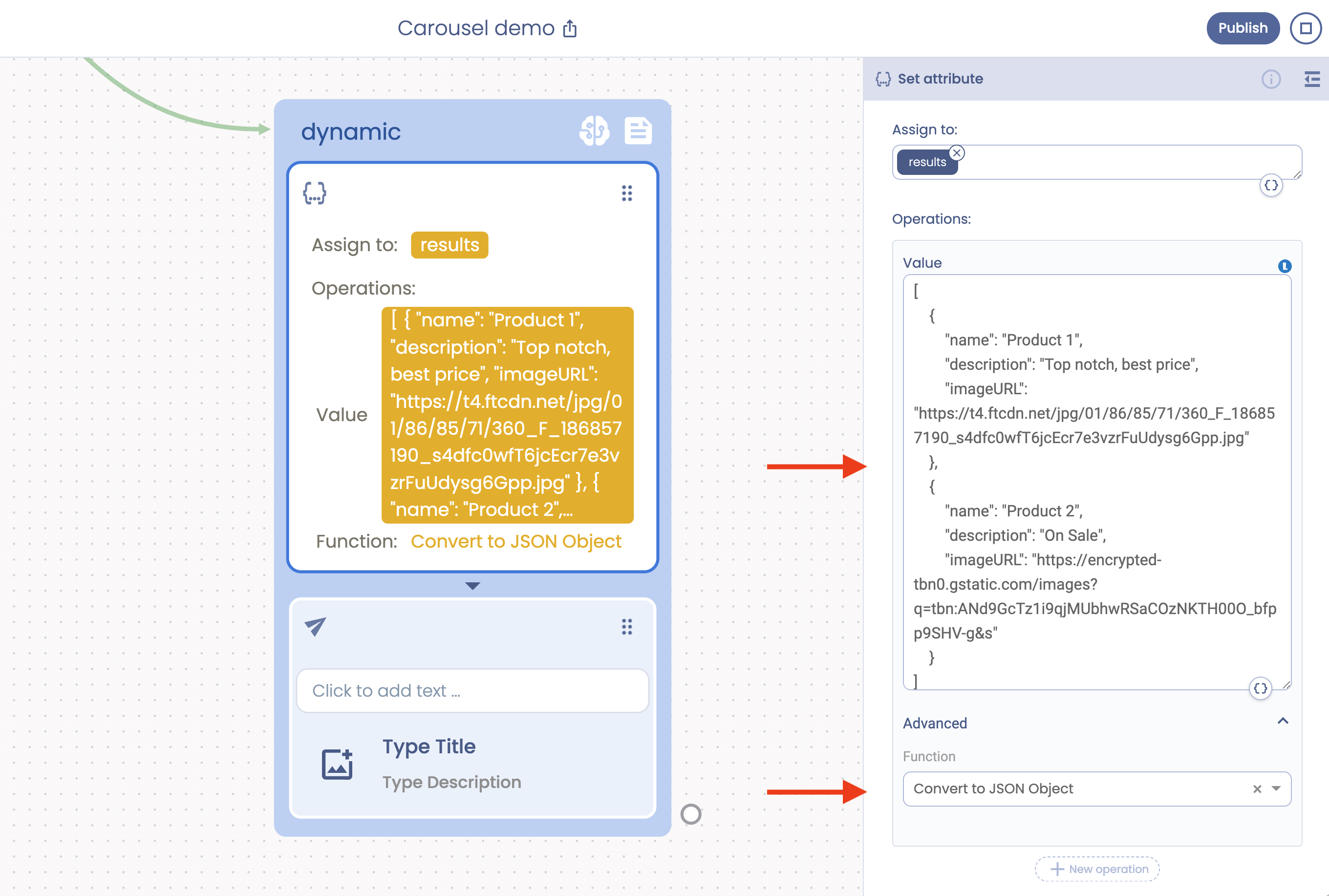
In the Dynamic branch we set (using Set Attribute) this array of JSON values (suppose coming from a shop web service):

Products JSON
[
    {
        "name": "Product 1",
        "description": "Top notch, best price",
        "imageURL": "https://t4.ftcdn.net/jpg/01/86/85/71/360_F_186857190_s4dfc0wfT6jcEcr7e3vzrFuUdysg6Gpp.jpg"
    },
    {
        "name": "Product 2",
        "description": "On Sale",
        "imageURL": "https://encrypted-tbn0.gstatic.com/images?q=tbn:ANd9GcTz1i9qjMUbhwRSaCOzNKTH00O_bfpp9SHV-g&s"
    }
]

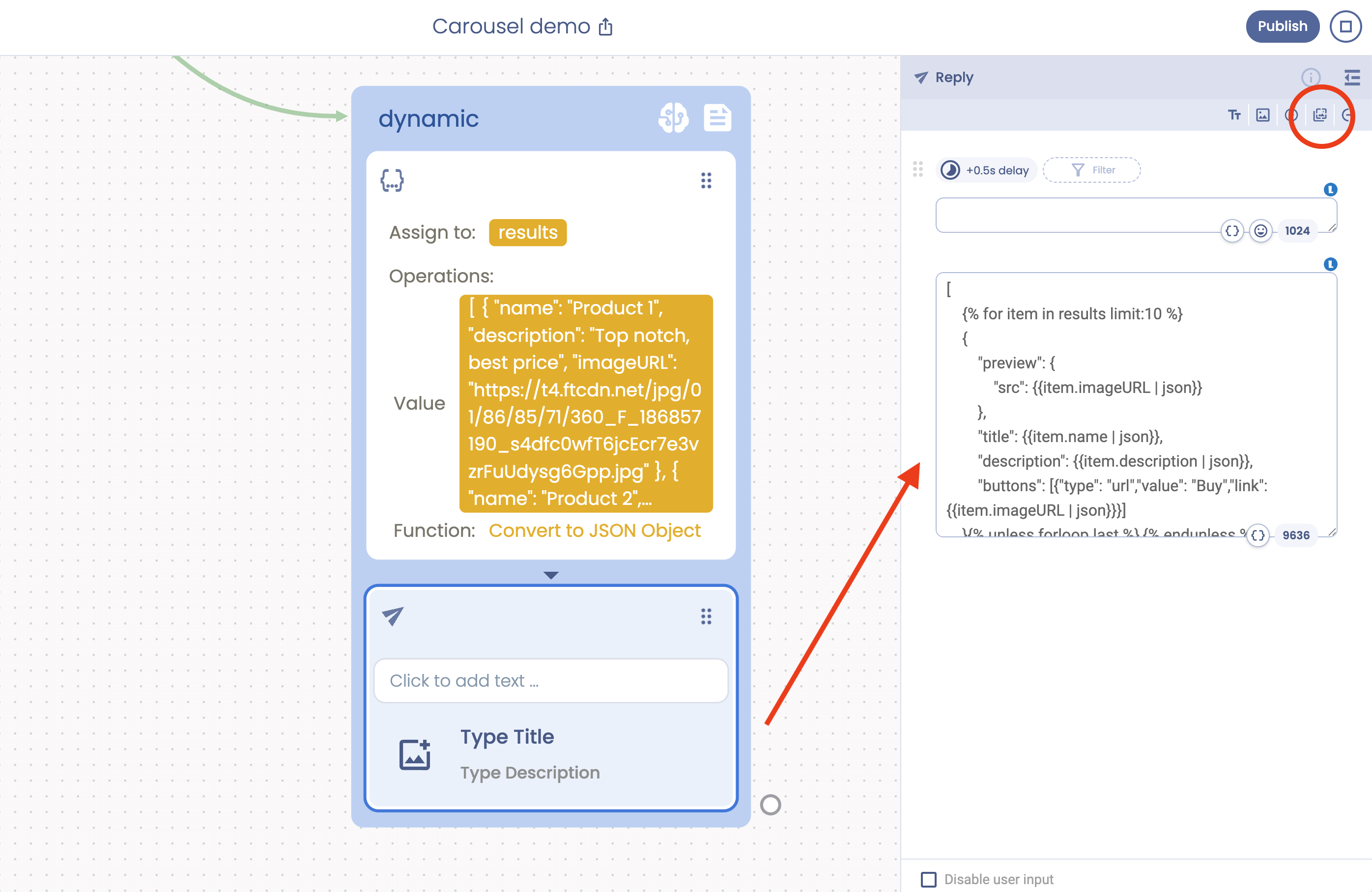
Then we used a dynamic carousel with this JSON structure:

JSON Gallery
[
    {% for item in results limit:10 %}
    {
        "preview": {
            "src": {{item.imageURL | json}}
        },
        "title": {{item.name | json}},
        "description": {{item.description | json}},
        "buttons": [{"type": "url","value": "Buy","link": {{item.imageURL | json}}}]
    }{% unless forloop.last %},{% endunless %}
    {% endfor %}
]

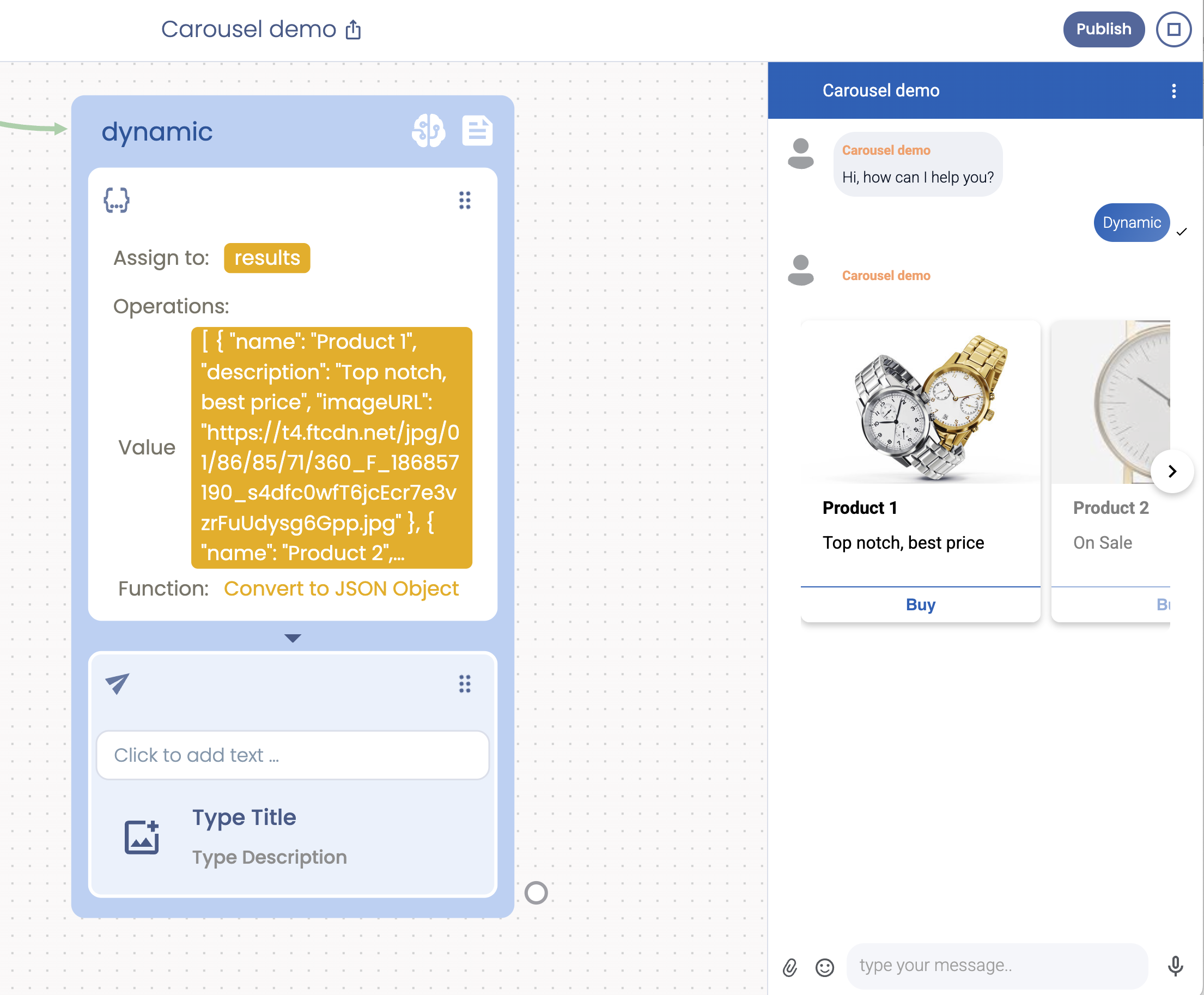
If everying works fine you should have a carousel rendered correctly:

JSON Gallery

Tags

    #carousel

    #tiledesk

    #dynamic

    #contents

    #shopping

    #ecommerce

Integrations

Once designed, you can run your unlimited no-code chatbots on every communication channel of your choosing. Be it WhatsApp, Telegram or Facebook Messenger. With no further clicks or actions.